In-app deposit/withdrawal
In-app deposit/withdrawal enables brokers to embed their cashier functionality directly within cTrader.
Prerequisites
Before implementing in-app deposit/withdrawal, ensure completion of:
- Setup actions: Infrastructure & connectivity, authentication of API calls
- Contracts: Broker identification, screen URL conventions
- Identity options: Either SSO user creation and authorisation or one-time token handoff
Architecture
- In-app deposit/withdrawal opens a web browser within cTrader.
- cTrader requests a one-time token from the broker's CRM and embeds it in the cashier URL.
- The broker controls the cashier screen and handles payment processing.
- On success, the broker notifies cTrader of the balance change via
POST /webserv/traders/{login}/changebalance.
Implementation flows
There are two flows. They differ only in the authentication stage at the start; the in-app action stage that follows is identical.
- Flow 1: Automatic relogin
- Flow 2: No automatic relogin
Applies when the app has a stored accessToken and re-authenticates the session silently (see automatic re-login flow).
The flow proceeds through the following stages:
- The user launches cTrader and the application finds the stored
accessToken. - The application sends an authorisation request with the
accessToken; the cTrader backend validates it with the broker CRM (POST /oauth2/authorize). Optionally, the broker generates aninappToken. - The cTrader backend authorises the session under the
userId; the application optionally stores theinappToken. - The user interacts with an in-app control (for example, a deposit button).
- The application requests an OT token; the cTrader backend asks the broker CRM to generate one for the
userId, optionally passing theinappTokenfor verification (POST /oauth2/onetime/generate). - The broker CRM returns the OT token, which the cTrader backend forwards to the application.
- The application opens the predefined cashier URL with the OT token (see Screen URL conventions and query parameters).
- The browser requests the user details; the broker CRM validates the OT token and returns them.
- The user completes the deposit form and the broker processes the payment through its payment service provider.
- The broker requests the account balance change; the cTrader backend applies it and returns the
balanceHistoryId(POST /webserv/traders/{login}/changebalance). - The broker confirms to the browser, which redirects to the success URL; the application closes the web browser.
- The cTrader backend sends a balance-change confirmation ('pump') to the platform.
Applies when the user authenticates from scratch on the broker's login screen (see user authorisation flow).
The flow proceeds through the following stages:
- The user authenticates from scratch on the broker's login screen — this covers the user authorisation flow.
- The application sends an authorisation request with the OT token; the cTrader backend exchanges it with the broker CRM, which returns the
userId,accessTokenand optionally aninappToken(POST /oauth2/onetime/authorize). - The cTrader backend authorises the session; the application stores the
accessTokenand optionally theinappToken. - The user interacts with an in-app control (for example, a deposit button).
- The application requests an OT token; the cTrader backend asks the broker CRM to generate one for the
userId, optionally passing theinappTokenfor verification (POST /oauth2/onetime/generate). - The broker CRM returns the OT token, which the cTrader backend forwards to the application.
- The application opens the predefined cashier URL with the OT token (see Screen URL conventions and query parameters).
- The browser requests the user details; the broker CRM validates the OT token and returns them.
- The user completes the deposit form and the broker processes the payment through its payment service provider.
- The broker requests the account balance change; the cTrader backend applies it and returns the
balanceHistoryId(POST /webserv/traders/{login}/changebalance). - The broker confirms to the browser, which redirects to the success URL; the application closes the web browser.
- The cTrader backend sends a balance-change confirmation ('pump') to the platform.
URL examples
https://brokerCrmUrl.com/inapp/deposit?token={otToken}
https://brokerCrmUrl.com/inapp/deposit?token={otToken}&account={accountId}
https://brokerCrmUrl.com/inapp/withdraw?token={otToken}
https://brokerCrmUrl.com/inapp/withdraw?token={otToken}&account={accountId}
Endpoints used
Added by this module
POST /webserv/traders/{login}/changebalance: Apply the deposit or withdrawal to the trading account
Via the identity option
The flows above also rely on token endpoints owned by the chosen identity option:
POST /oauth2/authorize: Verify the long-term access token (automatic relogin flow)POST /oauth2/onetime/authorize: Verify and exchange the OT token (no automatic relogin flow)POST /oauth2/onetime/generate: Generate the OT token for the in-app action
In-app token validation
inappToken is an optional token that lets the broker CRM bind in-app actions (such as deposit and withdrawal) to a verified SSO session. It is generated by the broker CRM, not by cTrader.
- The CRM may return an
inappTokenin its response to the token-exchange and re-login endpoints —POST /oauth2/onetime/authorizeandPOST /oauth2/authorize(see Token verification and session). cTrader delivers it to the application automatically and includes it on the next OT-token request. - If the CRM returns an
inappToken, it must verify that token when cTrader callsPOST /oauth2/onetime/generateto obtain an OT token for the in-app action. If verification fails, the CRM must not issue the OT token — the user is then unable to open the deposit/withdrawal screen and cTrader returnsCH_CLIENT_AUTH_FAILURE. - If the CRM does not return an
inappToken, no additional verification is performed onPOST /oauth2/onetime/generate.
| Parameter | Returned in | Verified in | Required | Data type | Description |
|---|---|---|---|---|---|
inappToken | POST /oauth2/onetime/authorize, POST /oauth2/authorize (response body) | POST /oauth2/onetime/generate (query parameter) | No | string | Optional validation token. If returned at authorisation, it is passed back as a query parameter when generating an OT token for an in-app action and must be verified before the OT token is issued. |
Required screens
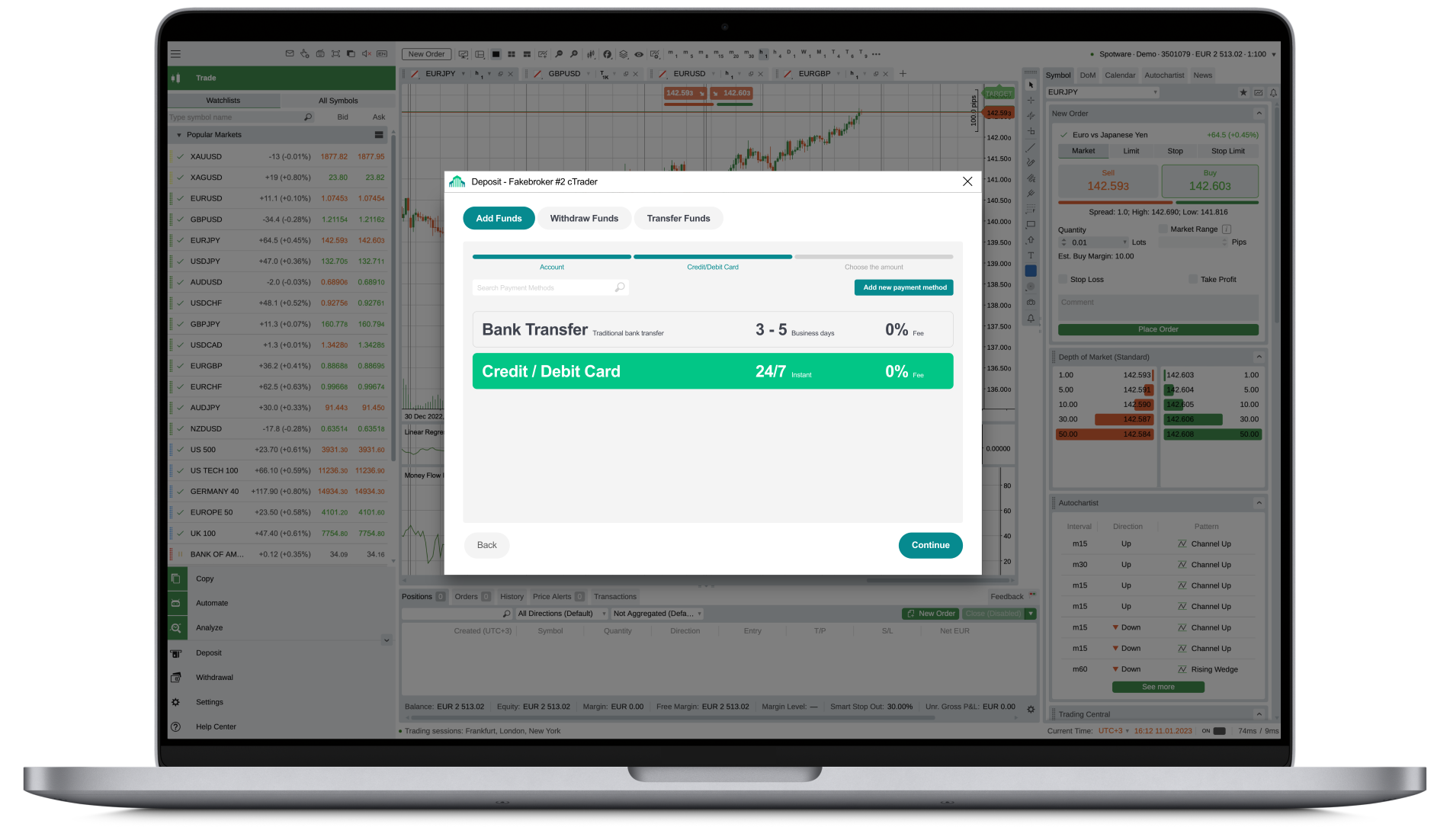
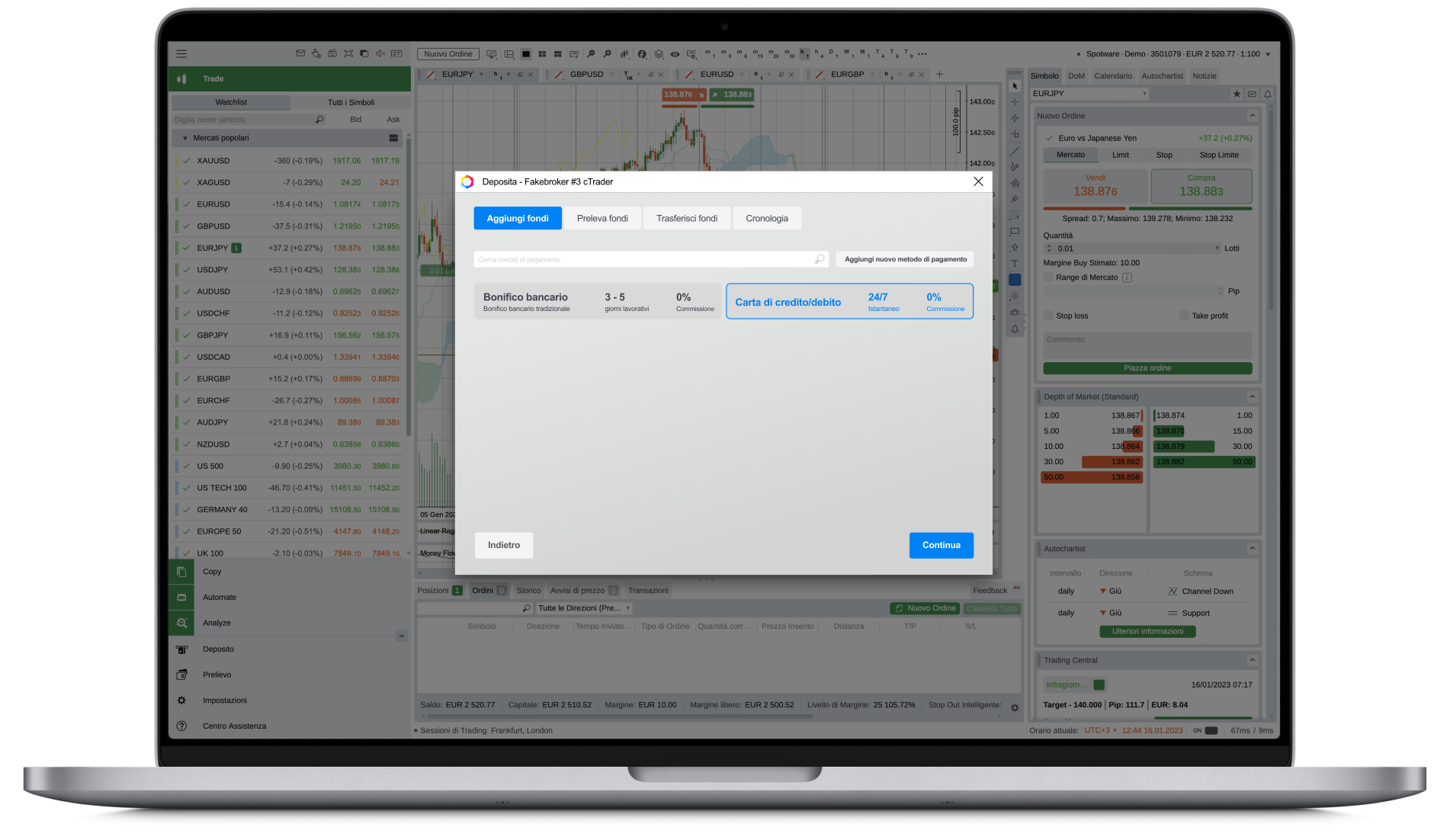
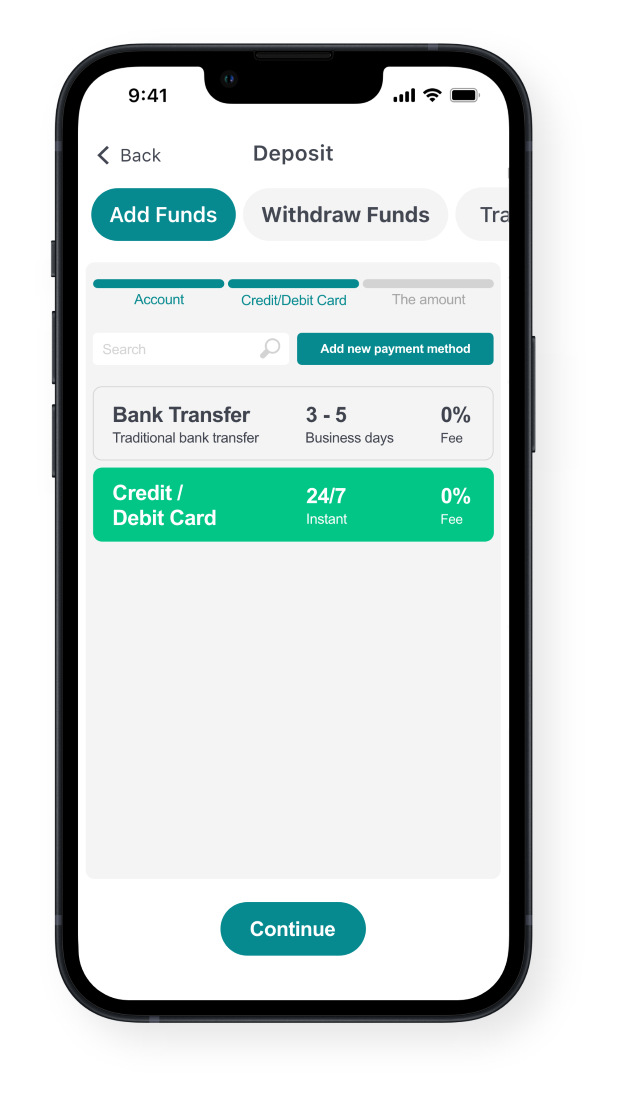
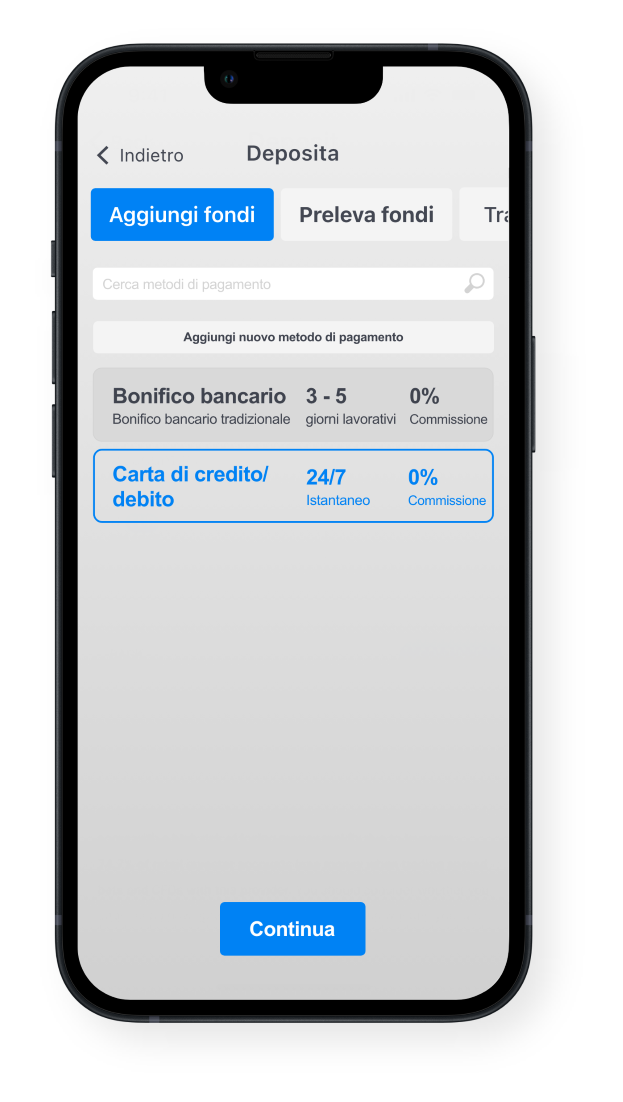
Deposit screen
- URL:
/inapp/deposit - Parameters:
token,account(optional)
- Web: 1
- Web: 2
- Web: 3
- Mobile: 1
- Mobile: 2
- Mobile: 3
-6417743b7b2ecea7466ada251a419390.png)
-159f2424eb105b9027f2b62ffd5e4fb1.png)
Withdrawal screen
- URL:
/inapp/withdraw - Parameters:
token,account(optional)
Error handling
| Error code | Designation | Description |
|---|---|---|
400 | Bad Request | A required field is missing from the request body. |
403 | CH_CLIENT_AUTH_FAILURE | Access denied to the broker's backend: invalid crmApiToken passed in POST /oauth2/onetime/generate or POST /oauth2/onetime/authorize. Re-authenticate the cTrader backend via POST /oauth2/crmApiToken. |
403 | CH_INSUFFICIENT_PERMISSIONS | A brokerName within brokerCrmName lacks access rights. |
404 | Not Found | OT token, accessToken or userId was not found by the broker's backend. |
410 | CID_TOKEN_EXPIRED | An expired OT token or accessToken was used. Generate a new OT token. |
417 | CID_NON_EXISTED_TOKEN | An invalid token was passed to the broker's backend. |